📡 Feedo
A beautiful terminal RSS reader
inspired by Reeder
Read your favorite feeds in the terminal with a gorgeous TUI, vim-style keybindings, and 15 stunning themes.
brew install ricardodantas/tap/feedo cargo install feedo 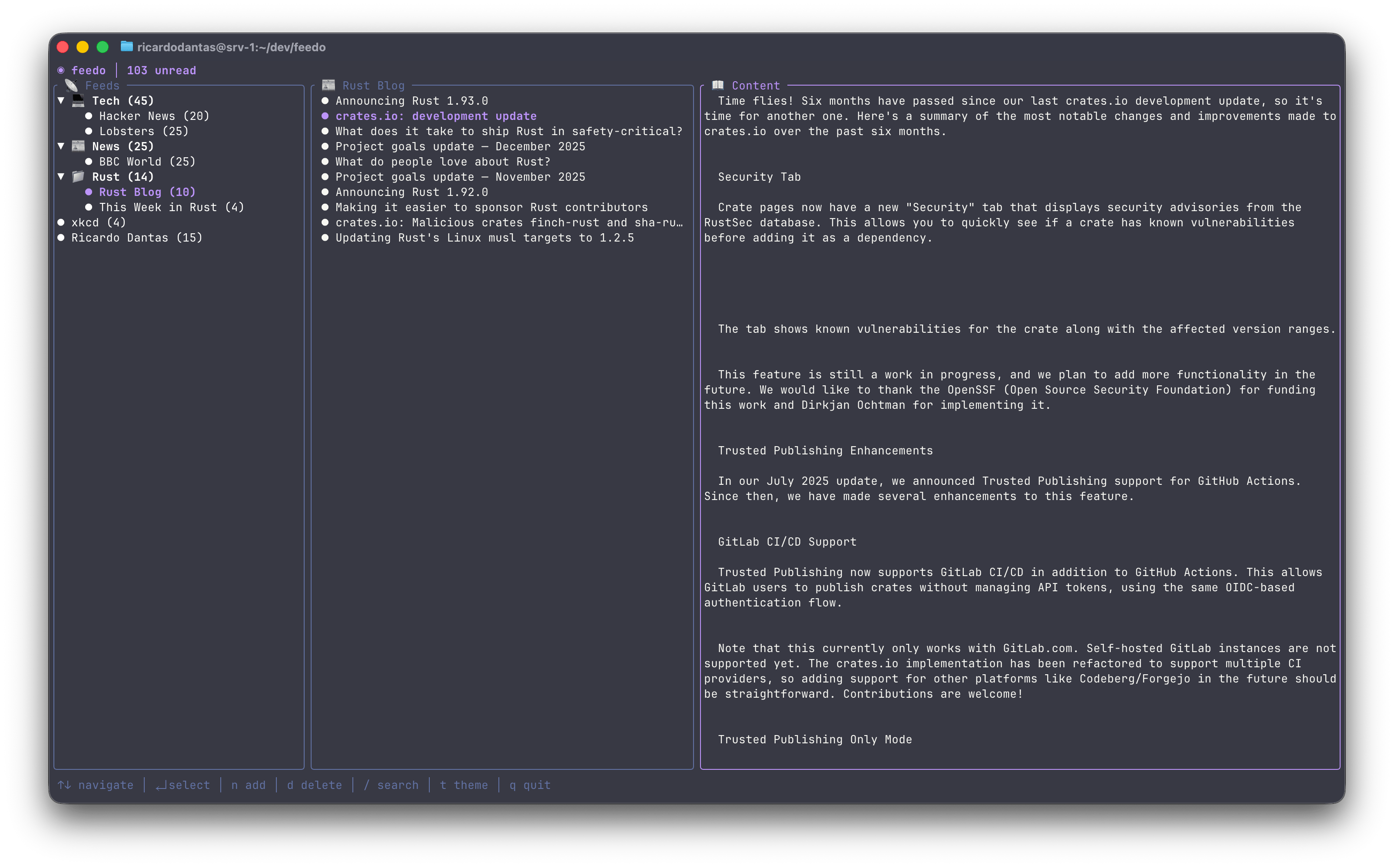
Features
Beautiful TUI
Clean three-panel interface with rounded borders, smooth navigation, and gorgeous typography.
Feed Discovery
Auto-detect RSS/Atom feeds from any URL — just paste a website and Feedo finds the feed.
Offline Mode
Articles cached locally — read without internet, read states persist across sessions.
Smart Folders
Organize feeds into collapsible folders with custom emoji icons for easy navigation.
Instant Search
Find articles across all feeds with real-time fuzzy filtering and highlighted results.
Blazingly Fast
Async feed fetching with Tokio — no UI blocking ever. Written in 100% safe Rust.
See It In Action
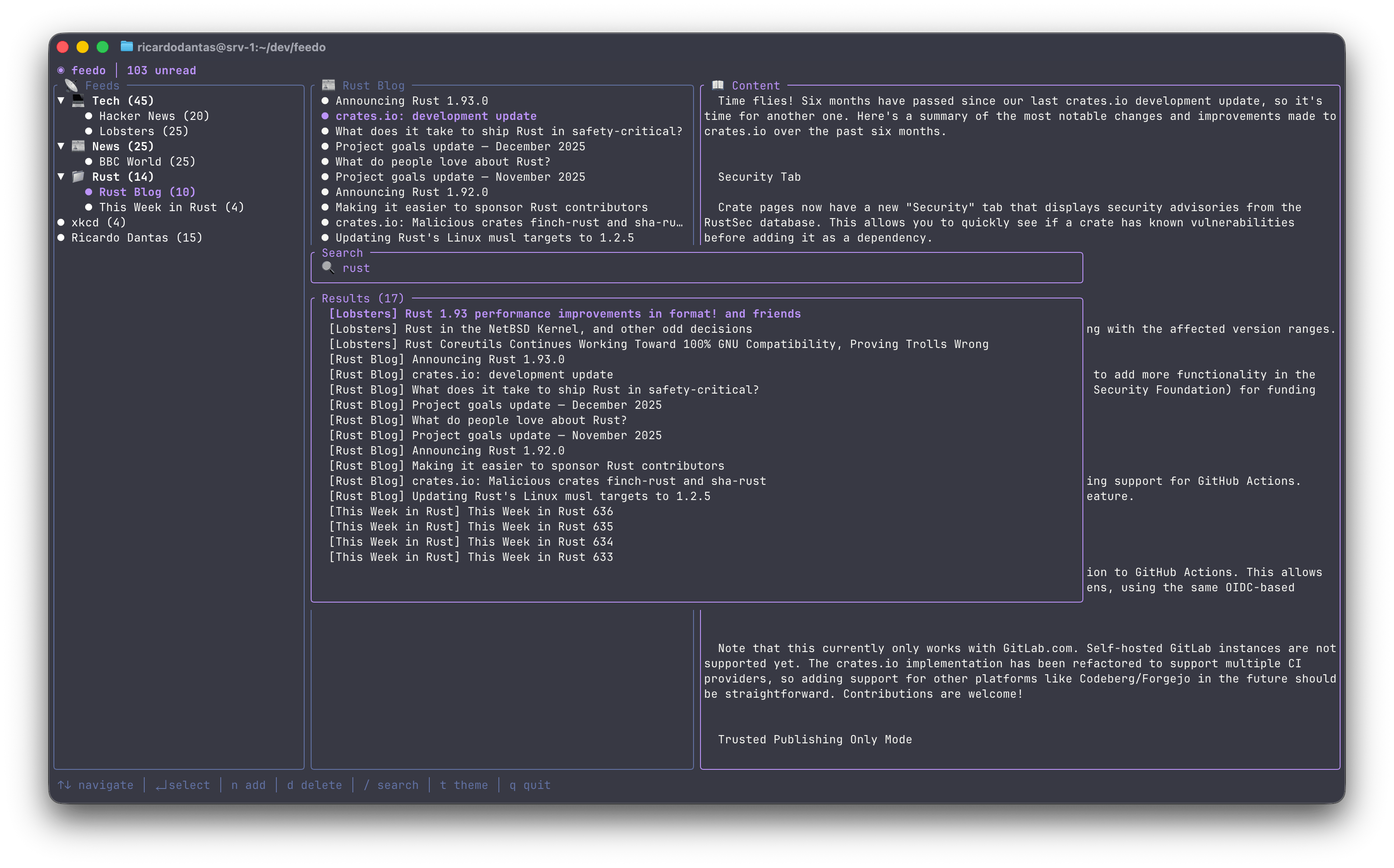
Real-Time Search
Find any article instantly across all your feeds with fuzzy matching.
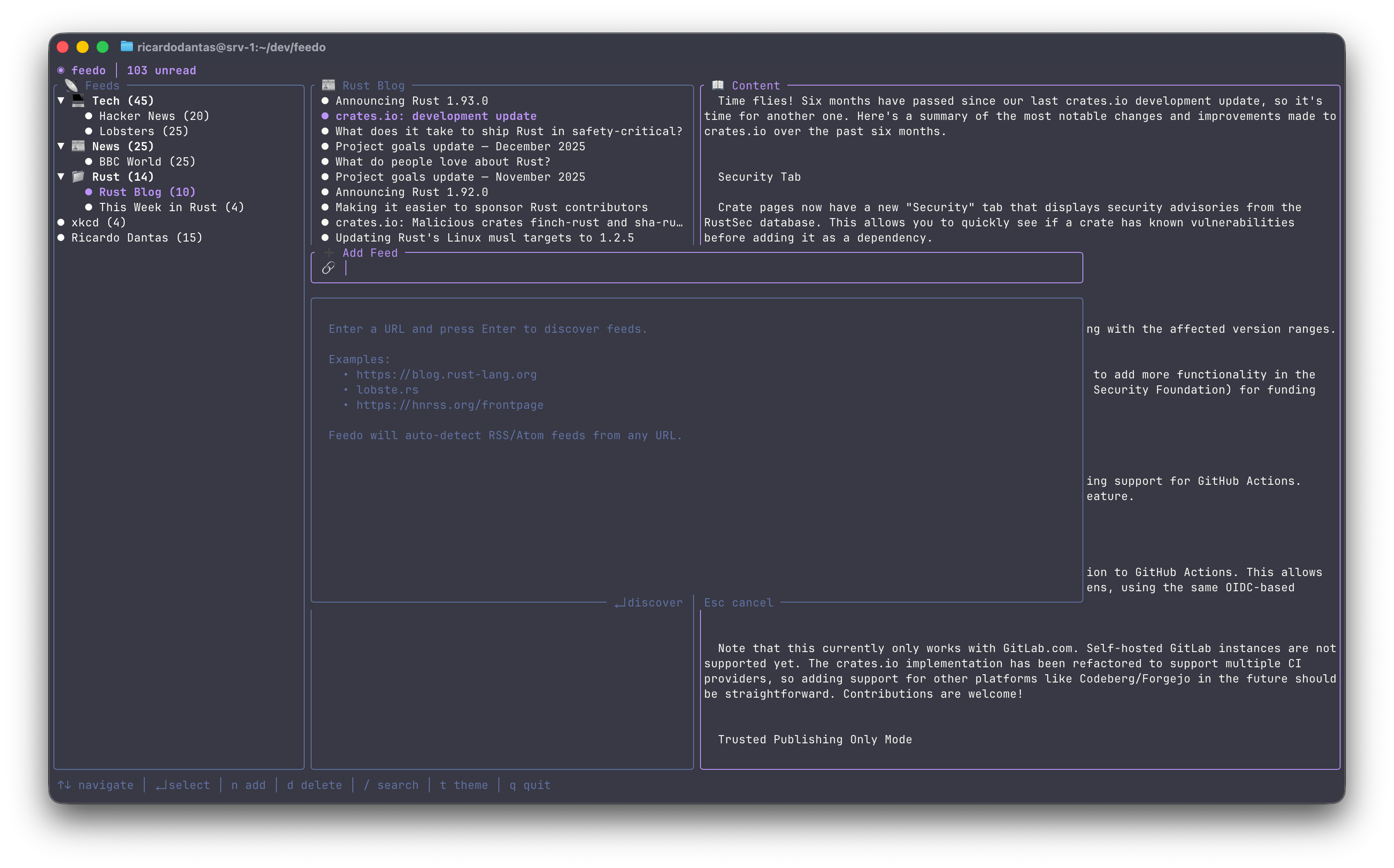
Smart Feed Discovery
Just paste any URL and Feedo will automatically find the RSS/Atom feed.
Keyboard-Driven
Vim-style keybindings for lightning-fast navigation
Navigation
Actions
15 Beautiful Themes
Press t to open the theme picker with live preview
Quick Start
Install
brew install ricardodantas/tap/feedo or cargo install feedo
Launch the TUI
feedo Add Your First Feed
Press n and paste any URL — Feedo auto-discovers the feed